


Vaulty : Photo Vault & Hide
4.552.05K Reviews
App Specs
- Version
- 26.08.27
- Updated On
- License
- Free
- Downloads
- 10,000,000+
- Developer
- Squid Tooth LLC
- Categories
- Photography
- Platform
- Android
Screenshots
 Analysis by AppCompare
My first piece of advice with Vaulty: Photo Vault & Hide is to treat it as a privacy tool you manage, not a magic button that makes files safe in every situation. A hidden collection can make personal photos less exposed during ordinary phone use, but your habits still matter: choose a password you can remember, set up recovery, and think carefully before deleting the originals. That practical balance is what I look for in a photo vault.
Start with a small, deliberate collection
When I set up a vault, I would begin with a handful of files rather than moving a whole gallery at once. That gives you a chance to learn how importing and viewing work, check that the right items are present, and decide how you want to organize them. It also makes it easier to notice if a photo you expected to see is still only in the regular gallery.
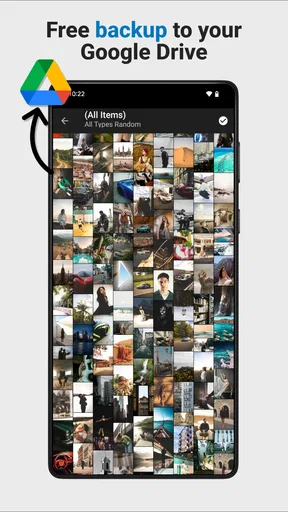
This matters because hiding a file and keeping a backup are different jobs. Before removing any original from its usual location, I’d confirm that the vault copy opens correctly and consider whether I need another copy somewhere I control. A vault can reduce casual visibility on the phone; it shouldn’t be the only place you keep something you would hate to lose.
Privacy is partly a routine
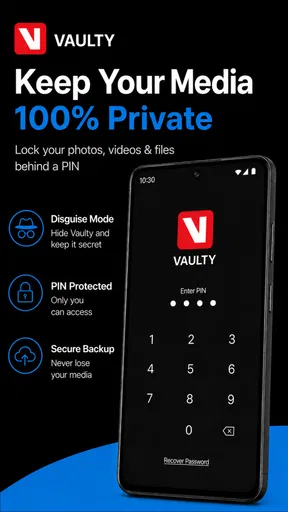
A password is only useful if it is not easy for someone nearby to guess. I’d avoid a familiar date or a code I use everywhere else, while still choosing something I can enter reliably. If the app’s recovery option is available during setup, I’d configure it then and keep the recovery details private. Forgetting a vault password can turn a simple privacy measure into a frustrating problem.
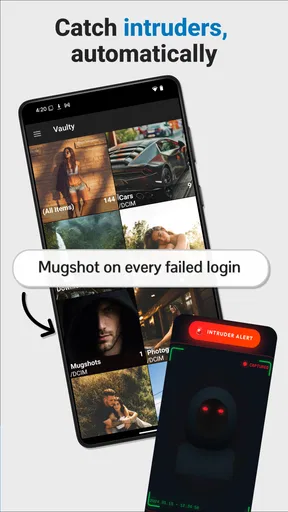
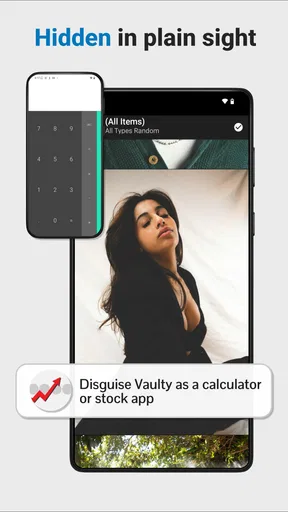
The decoy vault and Mugshot options described in the app’s feature set have a narrower role than the word “security” can suggest. A decoy may help in a situation where someone is looking over your shoulder, and an attempted-access photo may be useful context after a wrong-password attempt. Neither should be treated as a substitute for a strong device passcode or a guarantee against someone with access to your unlocked phone.
When another approach may suit you better
For a few pictures you merely want out of sight during normal gallery browsing, the phone’s built-in hidden album may be enough and can mean one less app to manage. For a sizeable, carefully sorted collection, a dedicated vault can feel more purposeful, especially if separate vaults help you keep personal and work-related media apart. If your priority is shared access across devices or dependable long-term archiving, I’d compare backup-focused services instead; a privacy vault and a backup system solve different problems.
I would also skip a vault if you need a foolproof way to conceal files from someone who regularly uses your device and knows your routines. No app can fix a weak screen lock, an unlocked phone left unattended, or a password you share. The best fit is someone who wants an extra layer of organization and privacy on a personal device, and is willing to manage it thoughtfully.
Worth Reading Before You Choose

EA SPORTS FC Mobile 26 Is a Bigger Football Game, but It Takes Time

Flipboard Shows What News Apps Must Do Beyond the Feed

Switching to Android Auto Means Rethinking Your Driving Routine

Google Calendar Makes a Crowded Week Easier to Manage

Ludo King Makes the Most of the Minutes Between Plans

Baby Panda World Brings Quick Play to Modern Phones, but Its Game Library Feels Busy
A realistic day-to-day test
Imagine taking a photo of a document or a personal image that you don’t want appearing while you scroll through vacation pictures with a friend. You can move the selected item into a separate vault, then open the ordinary gallery without that file sitting among casual snapshots. If you use multiple vaults, you might keep different kinds of media apart rather than making one crowded folder. The useful habit is to check where the file ended up before handing over the phone.
That workflow is simple, but it also reveals a trade-off: extra privacy introduces an extra step whenever you want to find or show the item again. If you frequently share the same media, a vault may slow you down more than it helps. I’d reserve it for files that genuinely benefit from being separate, not every photo I take.
What the price does—and does not—tell you
The app is free to install, with optional in-app purchases listed from $0.99 to $99.99 per item. That gives you a way to try the basic experience before deciding whether a paid option is worthwhile. I wouldn’t assume that a higher-priced purchase is necessary for privacy, or pay before checking which specific feature it unlocks and whether you actually need it.
Vaulty is a photography app from Squid Tooth LLC. It has a 4.5 average from around 414,000 ratings, and more than 10 million installs, which suggests that many people have tried it. It is rated for everyone, but the files people choose to store are still personal, so I’d set it up with the same care I would give any app holding private material.
So, I recently got my hands on Vaulty: Photo Vault & Hide, and let me tell you, it’s been quite the ride exploring what this app has to offer. If you’re anything like me, you're always on the lookout for a reliable way to keep your private photos and videos...well, private. And that’s where Vaulty comes in.
First Impressions
Right off the bat, installing the app was a breeze. It’s available on both Android and iOS, so you don’t have to worry about compatibility issues. As soon as you open the app, you’re greeted with a clean and intuitive interface. It’s user-friendly, which is a huge plus for those who aren’t exactly tech-savvy.
Getting Started
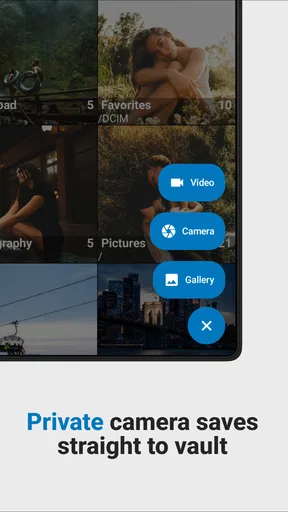
Setting up your vault is surprisingly simple. You just need to create a password, and you’re good to go. The app offers a tutorial for first-timers, which is handy if you’ve never used a photo vault before. Importing photos and videos is straightforward, too. You can either select files from your gallery or take photos directly from the app, which I found super convenient.
Features That Stand Out
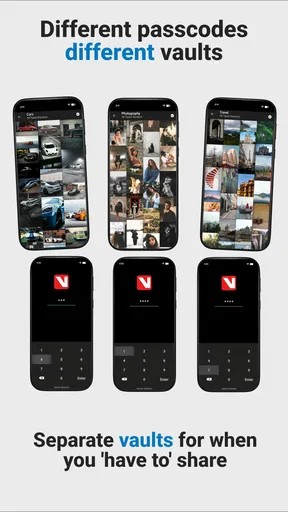
Now, let’s talk about the features that make Vaulty a standout choice. One of the best things is the ability to create multiple vaults. This means you can organize your files based on different categories or levels of privacy. Another cool feature is the decoy vault, which is perfect if you need to throw someone off your trail.
There’s also a recovery option, which is a lifesaver if you ever forget your password. Just make sure to set it up when you first create your vault. The app also has a nifty feature called "Mugshot," which snaps a photo of anyone who tries to access your vault with the wrong password. How cool is that?
Security and Privacy
Let’s be real, the main reason you’d use a photo vault is for security and privacy. And in this area, Vaulty doesn’t disappoint. It uses a strong encryption method to ensure your photos and videos are well-protected. Plus, the app doesn’t store your files online, which means you’re not relying on a third party to keep your data safe.
Performance and Usability
In terms of performance, the app runs smoothly. I didn’t experience any crashes or lags, which is always a relief. The usability is excellent, thanks to its straightforward navigation and responsive design. Whether you’re moving files around or setting up new vaults, everything feels seamless.
Room for Improvement
While Vaulty is pretty impressive, there are a couple of areas where it could improve. For one, the app could benefit from more customization options. It would be nice to personalize the interface a bit more. Also, while the free version offers a lot, some features are locked behind a paywall, which might be a bummer for some users.
The Final Verdict
All things considered, Vaulty: Photo Vault & Hide is a robust app for anyone looking to keep their private media secure. It’s easy to use, packed with useful features, and doesn’t compromise on security. Whether you’re hiding sensitive work files or personal photos, this app has got you covered.
If you’re ready to take your privacy to the next level, I’d say give Vaulty a shot. You can find download links for both Android and iOS on our website. Happy hiding!
Pros
- Easy-to-use interface for quick setup.
- Strong encryption for secure photo storage.
- Supports multiple vaults for organization.
- No file size limit for uploads.
- Customizable password recovery options.
Cons
- Ads can be intrusive in the free version.
- Lacks advanced photo editing tools.
- Cloud backup requires a subscription.
- Limited support for video files.
- No two-factor authentication.
FAQs for Vaulty : Photo Vault & Hide
What is Vaulty: Photo Vault & Hide used for?
Vaulty: Photo Vault & Hide is an application designed to protect your privacy by securely hiding photos and videos on your device. It provides a safe and encrypted environment where you can store sensitive media away from prying eyes, ensuring that only you have access to them.
How secure is Vaulty: Photo Vault & Hide?
Vaulty uses advanced encryption techniques to ensure your media files are secure. The app requires a password or PIN to access hidden content, making it difficult for unauthorized users to view your private files. Additionally, Vaulty does not upload your content to the cloud, maintaining privacy.
Can I recover my media if I delete the app accidentally?
If you accidentally delete Vaulty, your hidden media may be lost unless you have backed them up externally. It’s highly recommended to regularly back up your media files to a secure location before uninstalling the app to avoid any potential data loss.
Does Vaulty: Photo Vault & Hide support multiple accounts or users?
Vaulty supports multiple vaults, allowing different users to create separate vaults with their own passwords. This feature is particularly useful for shared devices, ensuring that each user’s private media remains confidential and accessible only to them.
Are there any limitations on the types of files I can hide with Vaulty?
Vaulty primarily focuses on hiding photos and videos. While it excels at this task, it is not designed to hide other file types like documents or audio files. For users needing to secure other file types, additional apps specifically designed for those purposes may be required.


